
Give the customer a proper look quickly.
Send one view with the photographs, video and vehicle details most relevant to the question they asked.
Virtual Showroom · CERSUS Blog
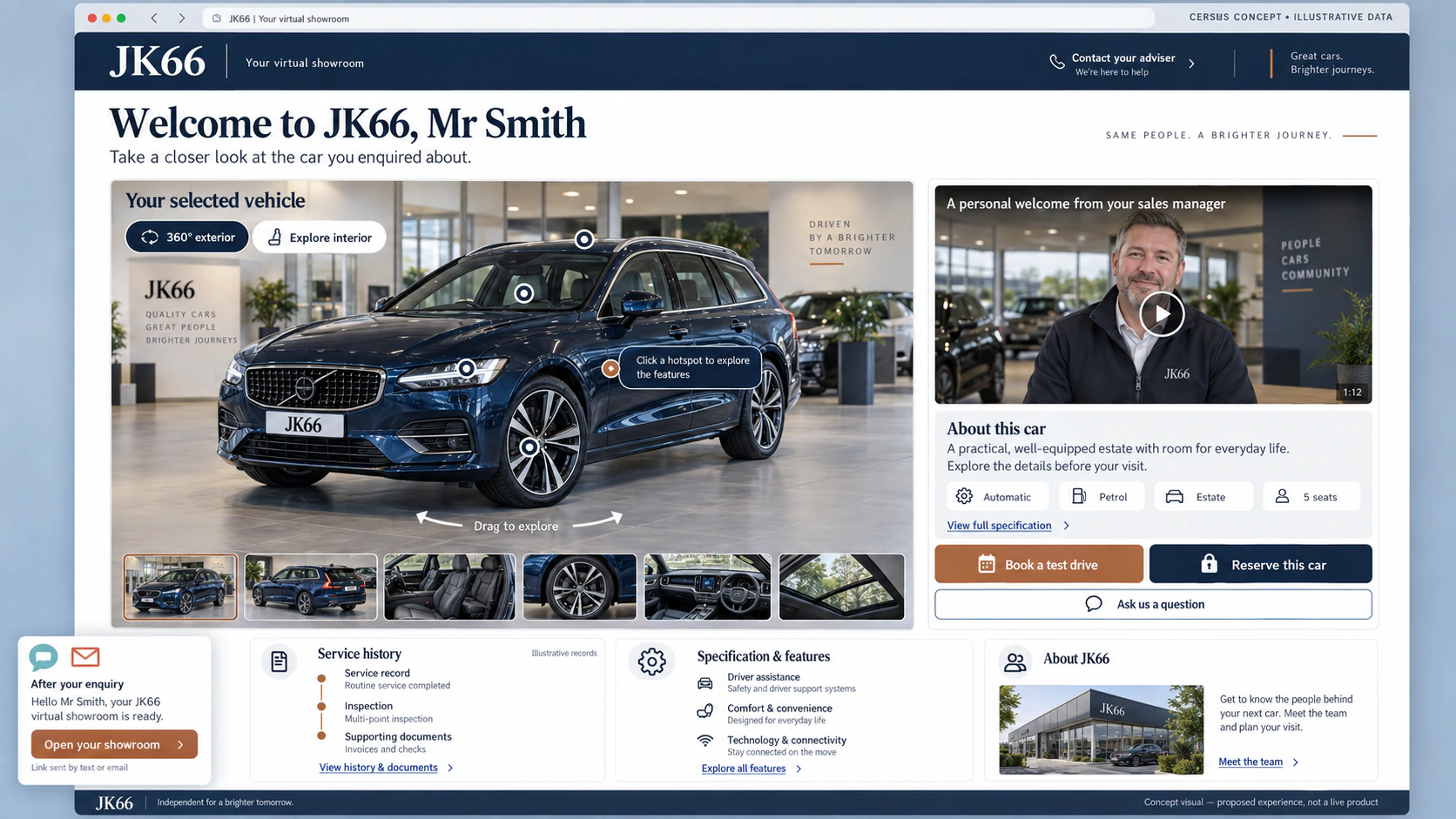
Not another gallery for the customer to swipe through. One clear vehicle presentation while the enquiry is still fresh.
This is a CERSUS concept in development: bring the best vehicle media, details and next steps into one customer-friendly view that supports the salesperson rather than replacing them.
The online handover
Most vehicle enquiries begin with incomplete information. The customer has looked at photographs, read some specification and perhaps watched a short clip, but they still want to understand the particular car in front of them.
A good salesperson fills those gaps naturally in the showroom. A Virtual Showroom should help them do the same job online: show the vehicle clearly, draw attention to what matters and make the next step obvious.
One vehicle story
The dealership selects the right content, previews the customer view and publishes a fixed version. The customer then opens one secure link with a clear presentation of that vehicle.
Clean, ordered photographs that show the vehicle properly.
An interactive all-round view created from a consistent set of exterior frames.
A stock walk-round or personal sales video that answers the enquiry.
Key specification, features and points of interest without an information dump.
The right contact, dealership identity and practical buying information.
Enquire, reserve or ask the salesperson a specific question.
Built around the enquiry
The same vehicle presentation can support different moments without becoming a generic brochure.
Send one view with the photographs, video and vehicle details most relevant to the question they asked.
Show condition, features and practical details so the customer can decide whether the car is worth the journey.
The salesperson can refer back to the same vehicle presentation instead of rebuilding the answer across separate messages.
The salesperson remains visible
The Virtual Showroom gives the customer a clearer look at the car. The salesperson still brings judgment, reassurance, answers and the human reason to buy from that dealership.
Publish with control
Draft changes should not silently alter something already sent. Published versions, secure links and revocation controls keep the dealership in charge of what is being shown.
Where it fits
Photography, Photo Suite, Video Studio and guided capture can feed a shared vehicle media library. From there, approved content can support the dealer website, a private customer link and, later, the Customer Portal.
A concept in development
Talk to Kevin about the questions your customers ask, the media your salespeople send and where the current online journey loses momentum.